Quick Answer: What is the Best WordPress Membership Plugin?
I recommend MemberPress as the best all-around WordPress membership plugin for most creators. It’s beginner-friendly, works with any theme, supports paid subscriptions, courses, and content gating, and integrates seamlessly with tools like Stripe, PayPal, and email marketing platforms.
A WordPress membership plugin is a fantastic tool to monetize your website.
These plugins convert your website into a membership platform and unlock massive potential for increasing revenue and subscribers.
I’ve had the opportunity to work with various membership plugins. Each has its strengths and weaknesses, and I’ve learned to match the right plugin to my client’s specific needs.
In this article, I share 5 of the best WordPress membership plugins based on my experiences with some of the most popular options.
If you are looking for the best membership plugin for WordPress, read on and pick the one that best suits your goals.
How I Test WordPress Membership Plugins
Before recommending any membership plugin, I run each one through a consistent, three-step evaluation process.
1. Install & Onboard
I start with a clean WordPress setup (latest version + popular themes) to test plugin installation, setup time, onboarding clarity, and how intuitive the dashboard feels for first-time users. Clear guidance and minimal friction score higher.
2. Build 3 Real Membership Scenarios
To assess flexibility and ease of use, I create:
- A simple members-only page (for gated content or downloads)
- A tiered membership setup (with recurring payments and role-based access)
- A course or community-style site (to test integrations with LMS or forums)
This helps reveal how well each plugin handles access control, checkout flow, and member management for real use cases.
3. Measure Speed, Reliability & Experience
Finally, I test:
- Page load speed and impact on Core Web Vitals
- Payment reliability using Stripe and PayPal test modes
- Member access consistency (no caching or login bugs)
- Email deliverability for welcome and renewal messages
Plugins that deliver a seamless member experience without slowing down your site score best.
Here are the 5 WordPress membership plugins I tested for this review. You can click any of the names below to jump directly to that section and see my full breakdown of each tool:
Summary of WordPress Membership Plugins
| Plugin | Best For | Key Features | Pros | Cons | |
|---|---|---|---|---|---|
 |
MemberPress | Complex membership sites, online courses, digital product stores | Multiple membership tiers, drip content, digital downloads, strong integrations | Comprehensive feature set, easy to use, excellent support | Can be overkill for simple sites, pricing can escalate |
| 2 | Paid Memberships Pro | Customizable membership sites, budget-conscious users | Flexibility, open-source, strong community | Highly customizable, cost-effective | Steeper learning curve, core features might be limited |
| 3 | WooCommerce Memberships | Online stores with product-based memberships | Integration with WooCommerce, product-based memberships | Seamless integration, leverages WooCommerce infrastructure | Limited to product-based memberships |
| 4 | LearnDash | Online courses, educational content | Drip content, quizzes, certificates, strong LMS features | Excellent for online courses, robust features | Can be overkill for simple membership sites, pricing can be steep |
| 5 | Restrict Content Pro | Small to medium-sized membership sites, content protection | Easy to use, affordable, focuses on core features | Simple setup, cost-effective | Limited features, not suitable for complex membership structures |
Why Trust OptinMonster?
At OptinMonster, our team has over 15 years of experience with WordPress, lead generation, and online marketing. We actively use and test membership plugins on live websites to understand what truly works for real site owners, not just in theory.
Every plugin in this list has been installed, configured, and tested by our in-house experts to ensure accurate, unbiased recommendations for all types of membership sites.
Here are our favorite WordPress plugins to manage memberships on your website.
1. MemberPress
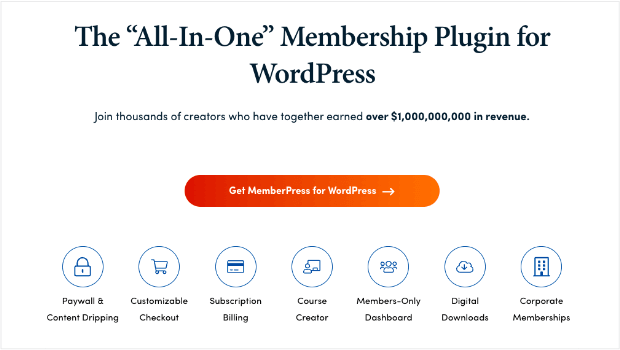
I first encountered MemberPress on a client project that required a robust membership solution with a focus on digital product delivery. The client was launching an online course platform and needed a plugin that could handle multiple membership tiers, drip content, and digital downloads seamlessly.
MemberPress impressed me right away with its intuitive interface and comprehensive feature set. Setting up membership levels, creating drip schedules, and integrating payment gateways was a breeze. The plugin’s ability to restrict content based on membership level is excellent, and the digital downloads feature is a real standout.
However, while MemberPress is undoubtedly powerful, its extensive feature set can sometimes feel overwhelming for simpler membership sites. For smaller projects or those with very specific needs, it might be overkill.
Features
- Integrations with Mailchimp, Constant Contact, GetResponse, Easy Affiliate, and more
- Unlimited members and memberships
- Content dripping functionality
- Content restriction rules, including access end dates
- Powerful learning management system (LMS) features for online courses
- Customizable checkout
Pros
- Comprehensive feature set
- Easy to use interface
- Strong support
- Excellent for digital product delivery
- Flexible membership tiers
Cons
- Can be overkill for simpler membership sites
- Pricing can escalate with add-ons
MemberPress Pricing
- Basic: $179.50 per year
- Plus: $299.50 per year
- Pro: $399.50 per year (includes 3 free months of OptinMonster and TrustPulse)
Best for: Online course platforms, digital product stores, and complex membership sites with multiple tiers and features.
Get started with MemberPress today!
2. Paid Memberships Pro

I’ve used Paid Memberships Pro (PMPro) on several personal projects and for clients who needed a highly customizable membership solution. It’s open-source nature and extensive add-on ecosystem make it a versatile choice.
I appreciate PMPro’s flexibility. It allows you to tailor the membership experience to your exact needs. Whether you’re building a simple members-only area or a complex subscription-based platform, PMPro can adapt.
That said, the initial setup can be more involved than with some other plugins, and the core functionality is less extensive out-of-the-box. You might need to invest time in configuring settings or purchasing add-ons to achieve your desired results.
Features
- Can show “sneak peeks” of content
- Pay per post or view
- Personalized member homepages
- Thorough admin dashboard
- Many payment methods and gateways
Pros
- Highly customizable
- Open-source
- Strong community and support
- Cost-effective
- Suitable for a wide range of membership sites
Cons
- Steeper learning curve
- Core features might be limited compared to some competitors
Pricing
- Free: $0
- Standard: $174 per year
- Plus: $299 per year
- Enterprise: $5,000+ per year
Best for: Developers, those with advanced customization needs, and budget-conscious users who don’t require a full-featured membership plugin.
Click here to get started with Paid Memberships Pro.
3. WooCommerce Memberships

As a WooCommerce expert, I naturally gravitated towards WooCommerce Memberships for clients who already had an online store. It’s a logical extension of the popular ecommerce platform.
The plugin works seamlessly with WooCommerce, allowing you to offer product-based memberships. This is ideal for businesses that sell physical or digital products and want to create additional revenue streams through exclusive member content.
However, if you don’t already use WooCommerce, the learning curve might be steeper, and the plugin’s focus on product-based memberships could limit its usefulness for other types of membership sites.
Features
- Integration with Constant Contact
- Member areas requiring invitations
- Content dripping
- Membership levels
- Easy communication with members
Pros
- Seamless integration with WooCommerce
- Ideal for product-based memberships
- Leveraging existing WooCommerce infrastructure
- Familiar interface for WooCommerce users
Cons
- Limited to product-based memberships
- Might not be suitable for non-ecommerce membership sites
Pricing
- $199 per year
Best for: Online stores looking to create membership tiers based on product purchases.
Click here to get started with WooCommerce Memberships.
4. LearnDash

I first came across LearnDash when a client approached me about building an online course platform with membership functionality. Initially, I was skeptical about using an LMS for membership, but I decided to give it a shot.
LearnDash blew me away with its focus on creating structured learning experiences. While it’s primarily an LMS, its membership features are solid. The ability to drip-feed content, create quizzes, and offer certificates within a membership framework is a unique selling point.
For complex membership sites with a strong educational component, LearnDash is a fantastic choice. However, if you’re primarily focused on content restriction and don’t need the full LMS functionality, there might be more streamlined options.
Pros
- Excellent for online courses and educational content
- Robust drip content and quiz features
- Strong community and support
- Versatile platform
Cons
- Can be overkill for simple membership sites
- Pricing can be steep for basic membership features
Features
- One-time payment or subscription courses
- Integration with popular payment gateways and marketing apps
- Course and group management
- Detailed reporting on enrollment, performance, and progress
- Robust LMS capacity
Pricing
- 1 Site: $199 per year
- 10 Sites: $399 per year
- Unlimited: $799 per year
Best for: Online course platforms, membership sites with a strong educational focus, and those who need advanced learning management tools.
Click here to get started with LearnDash.
5. Restrict Content Pro

Restrict Content Pro (RCP) is a plugin I’ve used on several small to medium-sized membership sites. Its simplicity is its greatest strength. If you need a straightforward way to protect content and manage subscriptions, RCP is a solid choice.
The plugin is easy to set up, and the interface is clean and intuitive. While it lacks some of the advanced features of other plugins, it excels at the core functionality of content restriction.
However, for complex membership sites with multiple tiers, drip content, or advanced features, RCP might fall short. It’s best suited for simpler membership models.
Features
- Unlimited number of membership levels
- Customer dashboard
- Stripe integration for free level, more payment options at paid levels
- Membership emails
- Autogenerated member pages
Pros
- Easy to use and set up
- Focuses on core membership features
- Affordable
- Good for smaller membership sites
Cons
- Limited features compared to other plugins
- Might not be suitable for complex membership structures
Pricing
- Basic: Free
- 1 Site: $99 per year
- 5 Sites: $149 per year
- Unlimited: $249 per year
Best for: Small to medium-sized membership sites with basic requirements, bloggers, and those on a tight budget.
Get started with Restrict Content Pro right here.
What Is the Best Membership Plugin for WordPress?
Through our testing and research, I determined that MemberPress is the best membership plugin for WordPress .
MemberPress is the most comprehensive option, and it’s the easiest to use. It has tons of features and excellent documentation and support.
That said, our favorite may not be the right one for you. That’s okay! The best membership plugin for you depends on your specific needs. Consider factors like the type of content you’ll be offering, the complexity of your membership structure, your budget, and your technical expertise when making your decision.
Do you want to learn more ways to increase revenue on your member website?
Take a look at our list of 30 Ways to Make Money With OptinMonster! In that article, you’ll learn how our powerful popup software can help you make the right offers to the right visitors.
If you want to start with OptinMonster today, check out our affordable pricing plans.
FAQ
Q1. What is the best WordPress membership plugin overall?
A: MemberPress is our top recommendation for 2026. It’s beginner-friendly, integrates with major payment gateways like Stripe and PayPal, and supports subscriptions, content restriction, and online courses.
Q2. Are there any free WordPress membership plugins?
A: Yes. Paid Memberships Pro and Restrict Content Pro both offer free versions with core features, making them great starting options for smaller sites or creators on a budget.
Q3. Which plugin is best for online course websites?
A: LearnDash is ideal for educational membership sites, offering powerful LMS features such as quizzes, certificates, and drip-fed course content.
Q4. What’s the easiest membership plugin for beginners?
A: MemberPress and Restrict Content Pro are both simple to set up with clear interfaces and minimal configuration.
Q5. Can I sell physical or digital products through a membership plugin?
A: Yes. WooCommerce Memberships integrates directly with WooCommerce, letting you offer product-based memberships for both physical and digital goods.
Q6. What should I consider when choosing a membership plugin?
A: Focus on three factors — features, compatibility, and ease of use. Choose a plugin that fits your content goals, works with your current WordPress setup, and is intuitive for both you and your users.
Comments
Post a Comment